
All tools
Discover Lost URLs
Find historical URLs from the Wayback Machine and see where they land today.
Download the Discover Lost URLs Google Sheet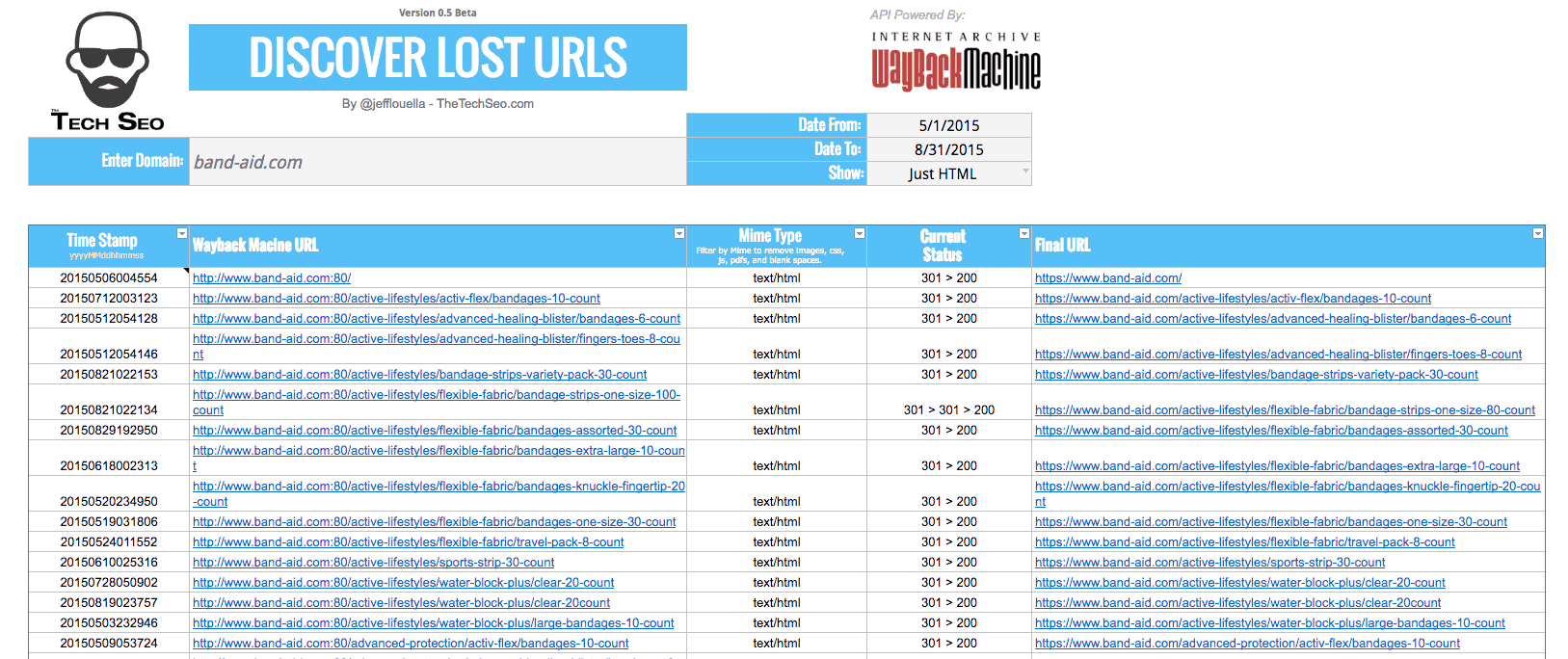
Inspired by fixing historical redirects, this sheet uses the Wayback Machine API inside Google Sheets to surface URLs that may need redirects after a redesign or replatform.
How the sheet works
- Enter a domain (domain.com, subdomain.domain.com, or www.domain.com/sub-folder/)
- Set Date From and Date To to pull URLs from the Wayback index
- Filter to Just HTML or show All asset types
Reading the sheet
- Time Stamp: archive date in yyyyMMddhhmmss format
- Wayback Machine URL: URL from the archive index
- Mime Type: HTML, CSS, JS, etc.
- Current Status: status chain such as 301 > 200 or 301 > 404
- Final URL: current destination of the archived URL
Sheet limitations
The API pulls up to 20,000 rows. Large date ranges can slow the sheet; try smaller ranges if performance suffers.
More tools are coming together on Mookee.com.